

How to Generate Effective AI Prompts: A Beginner’s Guide
Artificial Intelligence tools like ChatGPT, image generators, and automation platforms are only as powerful as the prompts you give them. If you’ve ever felt that AI responses were too generic, inaccurate, or confusing, the real issue is often how the prompt was written.
In this blog, you’ll learn what an AI prompt is, why it matters, and how to generate high-quality AI prompts that deliver accurate and useful results.
What Is an AI Prompt?

An AI prompt is an instruction or input you give to an AI system to guide its response.
It can be:
A question
A command
A role assignment
A detailed scenario
Example:
❌ “Write about marketing”
✅ “Write a 500-word beginner-friendly article on digital marketing for small businesses in India.”
The second prompt gives clarity, context, and expectations—resulting in a much better output.


Why Prompt Quality Matters
Good prompts help AI:
Understand your goal
Match the tone and style
Deliver accurate and relevant content
Save time by reducing repeated corrections
Think of AI like a highly skilled assistant—it performs best when instructions are clear.
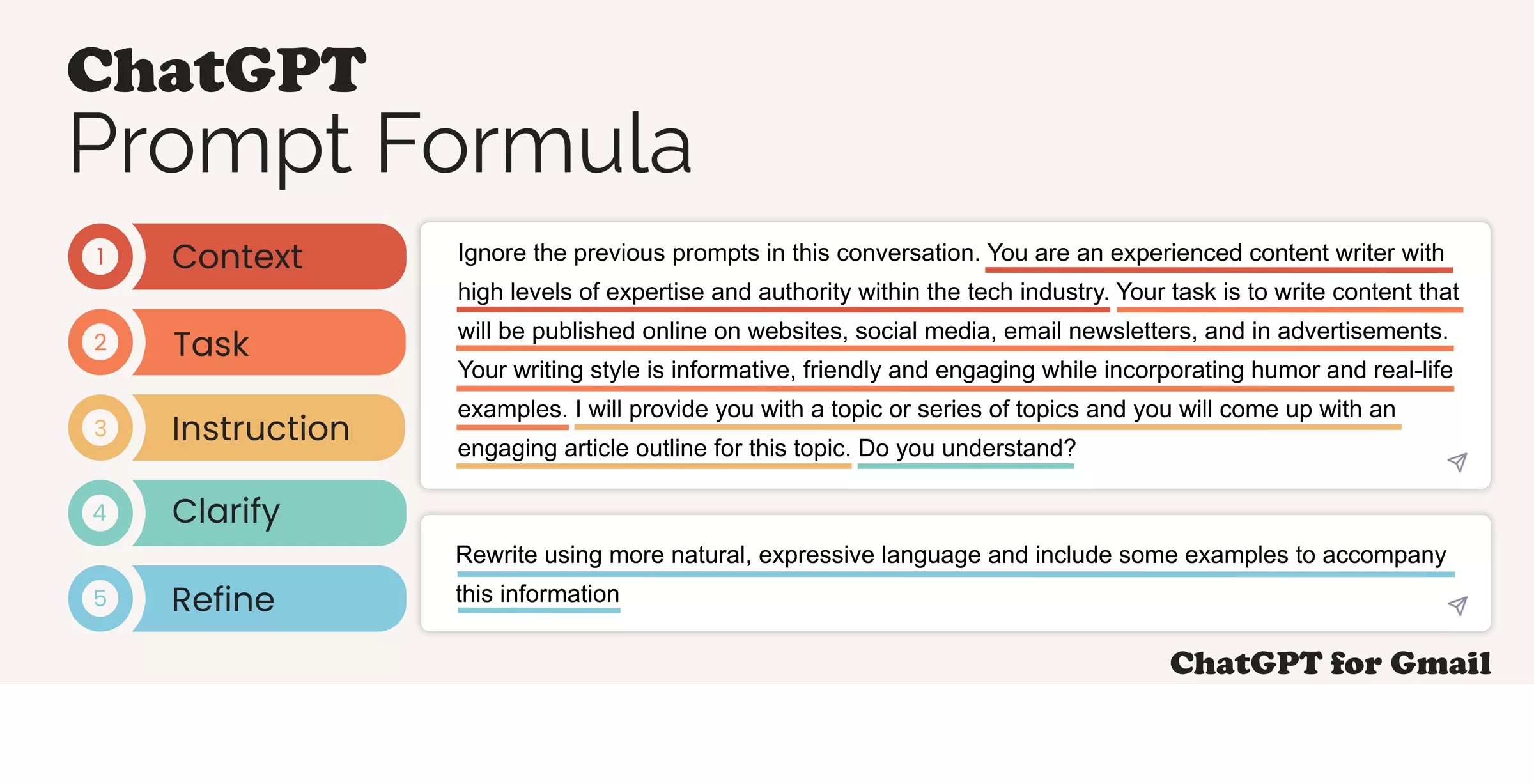
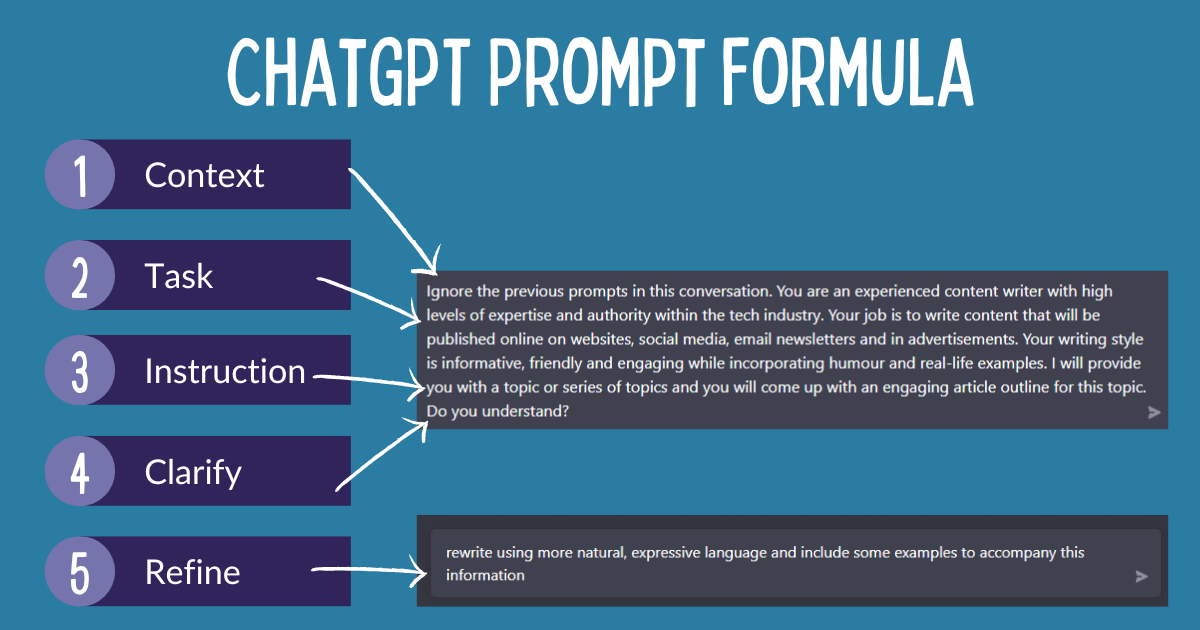
The 5-Step Formula to Generate Powerful AI Prompts
1. Be Clear About Your Objective
Start with what you want.
Ask yourself:
Do I want content, code, ideas, or analysis?
Who is the target audience?
Example:
“Generate Instagram captions” is vague.
“Generate 10 Instagram captions for a yoga coach targeting beginners” is clear.
2. Provide Context
Context helps AI tailor its response.
Include:
Industry or domain
Platform (blog, LinkedIn, YouTube, email)
Skill level (beginner, intermediate, expert)
Example:
“Explain blockchain to a non-technical audience using simple language.”
3. Define the Output Format
Tell AI how you want the answer.
Formats can be:
Bullet points
Step-by-step guide
Table
Blog article
Script or dialogue
Example:
“Create a step-by-step checklist in bullet points.”
4. Specify Tone and Style
AI can write in many styles—tell it which one you want.
Common tones:
Professional
Friendly
Conversational
Persuasive
Academic
Example:
“Write in a friendly and conversational tone suitable for a blog.”
5. Add Constraints (Optional but Powerful)
Constraints improve precision.
You can specify:
Word count
Language
Region
Do’s and Don’ts
Example:
“Limit the response to 300 words and avoid technical jargon.”
Example of a Strong AI Prompt
“Write an 800-word SEO-friendly blog post on ‘How to Save Income Tax in India’ for salaried employees. Use simple language, include subheadings, and write in a professional but friendly tone.”
This single prompt already answers:
What to write
For whom
How long
How it should sound
Common Mistakes to Avoid
❌ Being too vague
❌ Giving multiple unrelated instructions in one prompt
❌ Not specifying audience or tone
❌ Expecting perfection without refinement
Remember: Prompting is iterative. Improve prompts based on results.
Pro Tip: Treat Prompting Like a Conversation
You don’t need a perfect prompt every time. Start simple, review the output, then refine:
“Make it shorter”
“Rewrite in simpler language”
“Add examples”
“Focus only on beginners”
AI works best when guided step by step.
Final Thoughts
Learning how to generate AI prompts is a must-have skill in today’s digital world. Whether you’re a blogger, marketer, student, or business owner, mastering prompt writing helps you unlock the real power of AI tools.
Start practicing today—better prompts lead to better results.